
Download KhaataPro Billing Software for PC
Manage GST billing, inventory, sales, and business reports with one powerful desktop software. Built for retailers, wholesalers, distributors, and growing businesses.
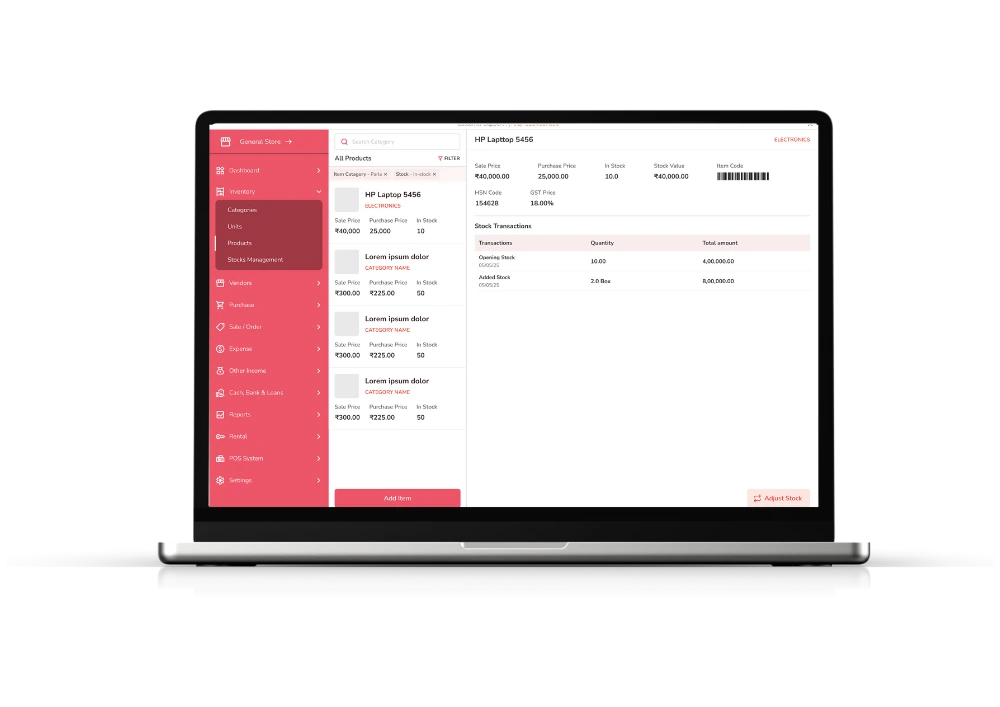
Smart Billing & Inventory Software
KhaataPro Billing Software for PC is an all-in-one business management solution that helps businesses create professional invoices, manage inventory, track purchases, monitor sales, and generate detailed reports. Instead of relying on manual billing or spreadsheets, businesses can automate daily operations and improve efficiency.
Whether you run a retail store, grocery shop, electronics business, restaurant, pharmacy, or wholesale company, KhaataPro provides everything needed to manage your operations from a single platform.
Get Started with KhaataPro Desktop
Download our desktop app and master your business finances
Windows
System Requirements
- Windows 10 or later
- 2.0 GHz dual-core processor or better
- 4 GB RAM minimum (8 GB recommended)
- 200 MB available disk space
Installation Instructions
- Download the installer from the button above
- Run the downloaded .exe file
- Follow the on-screen instructions to complete installation
- Launch KhaataPro from your desktop or start menu
MacOS
System Requirements
- macOS 11 (Big Sur) or later
- Intel or Apple Silicon processor
- 4 GB RAM minimum (8 GB recommended)
- 200 MB available disk space
Installation Instructions
- Download the .dmg file from the button above
- Open the downloaded .dmg file
- Drag KhaataPro to your Applications folder
- Launch KhaataPro from your Applications folder or Launchpad
If you encounter any issues during installation, please contact our support team at support@khaatapro.com
Features Overview
KhaataPro combines multiple business functions into one easy to use application.
Billing
- GST Billing
- Tax Invoices
- Quotations
- Credit Notes
Inventory
- Stock Management
- Barcode Support
- Low Stock Alerts
- Product Management
Sales
- Sales Entry
- Customer Billing
- Payment Tracking
- Daily Sales Reports
Purchases
- Purchase Entry
- Supplier Management
- Purchase Reports
- Stock Updates
Customer Management
- Customer Database
- Credit Management
- Outstanding Tracking
- Purchase History
Reports
- Sales Reports
- GST Reports
- Inventory Reports
- Profit & Loss Reports
- Business Analytics
How to Download & Install KhaataPro Billing Software
Getting started with KhaataPro is simple and takes just a few minutes. Follow these steps to download, install, and set up the software on your PC.
Step 1: Click the "Download Now" Button
Visit the KhaataPro Desktop page and click the Download Now button as per your Device.
Step 2: Save the Setup File
Once the download starts, save the setup file to a convenient location on your computer, such as your Downloads folder or Desktop, so you can easily access it.
Step 3: Run the Installer
Locate the downloaded setup file and double click it to launch the installer. Follow the on screen instructions to begin the installation process.
Step 4: Complete the Installation
The installation wizard will automatically install the required files on your computer. After the process is complete, click Finish to launch KhaataPro.
Step 5: Create Your Account
Open the software and create an account by providing the required details and verifying your information.
Step 6: Set Up Your Business
Enter your business details, add products or services, configure GST settings and import or create your inventory. Once the setup is complete, you can start generating invoices, managing stock, tracking sales and purchases, and monitoring your business from one platform.
Desktop App FAQs
Answers to the most common questions about the KhaataPro desktop experience
Yes, KhaataPro desktop software is free to download and install. After installation, you receive a 15-day free trial, and once the trial ends you can pick a subscription to continue using the software.
KhaataPro runs on Windows 10 or above and macOS 11 or above. We recommend at least 4 GB RAM for smooth usage—no high-end system is required.
No. KhaataPro is built for business owners, not IT experts. Installation and setup are simple and guided so you can begin billing quickly.
Yes. Based on your subscription plan, you can sign in to the same KhaataPro account on Windows and Mac using your existing login credentials.
KhaataPro supports billing with limited internet. You only need connectivity for software updates and to sync your data to the cloud.
Yes, you can install KhaataPro on multiple systems. Each device requires its own subscription license to stay compliant with your plan.