
Dukan Ka Stock Match Nahi Ho Raha? Simple Solution for Inventory Mismatch Problem
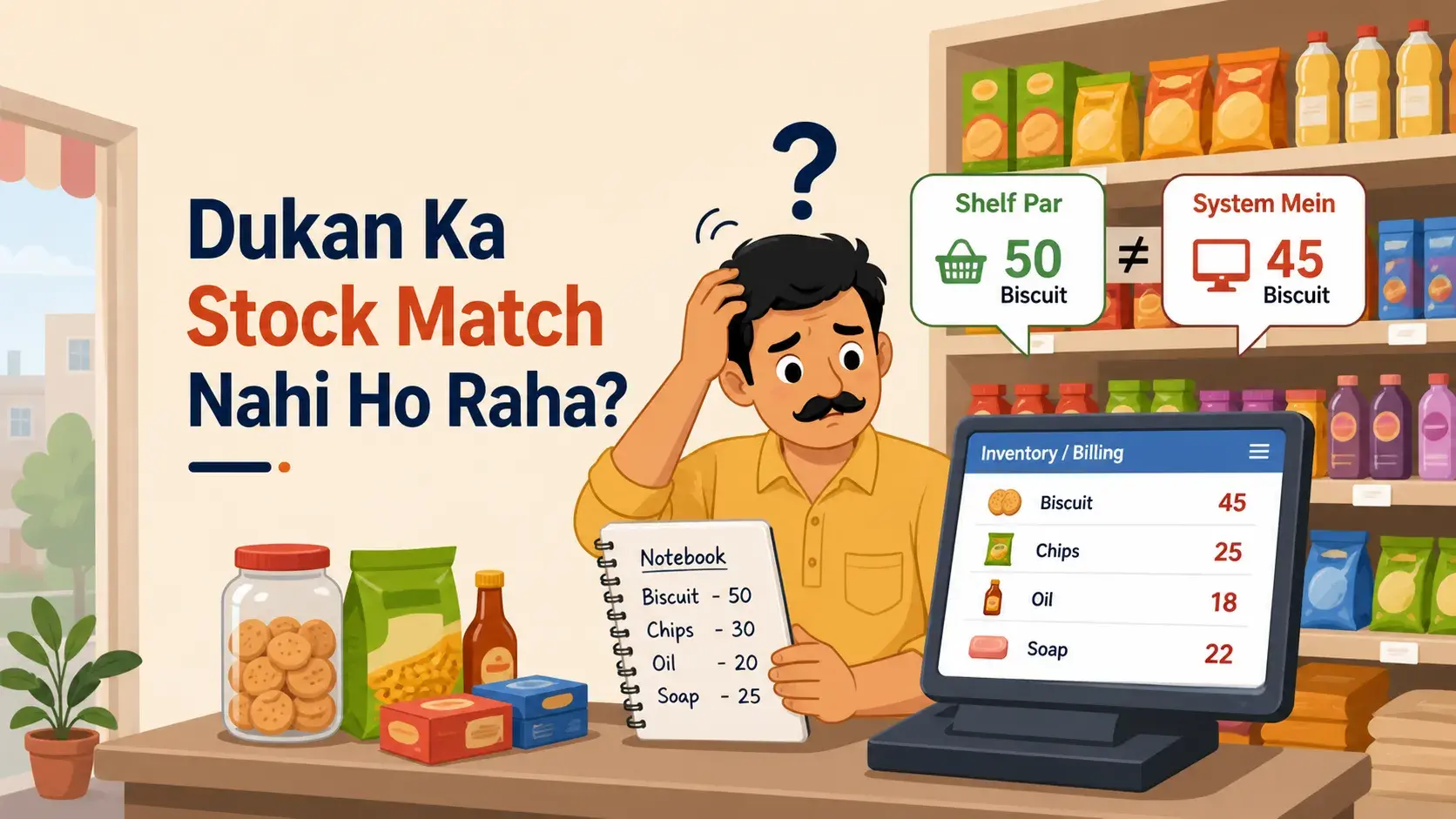
Running a shop looks simple from outside. A customer comes, asks for a product, you check the shelf, give the item, take payment, and the sale is done. But every shop owner knows the real work starts behind the counter. One of the biggest headaches is when the shop stock does not match the record. Your register, app, computer, notebook, hisab diary, or bill book page may show one number, but the real products on your shelf show something else.
For example, your system says you have 10 shampoo bottles, but when you check the shelf, only 6 bottles are there. Or your notebook says you have 5 phone covers, but actually you find 8 pieces in the drawer. This problem is called stock mismatch. It may look small in the beginning, but slowly it can affect your sales, profit, customer trust, and daily peace of mind.
In simple words, stock mismatch means the number of products in your record does not match the number of products physically available in your shop. Your record can be in a notebook, billing machine, Excel sheet, POS system, billing software for small business, inventory software, or a mobile inventory app. Physical stock means the real products kept in your shop, storage room, racks, boxes, or warehouse. When both numbers are different, confusion starts.
Why Stock Mismatch Happens in Shops
Stock mismatch can happen for many reasons. Most of the time, it is not because of one big mistake. It happens because of small mistakes that happen again and again during daily work. A product may be sold but not updated in the system. New stock may come from the supplier but may not be added immediately. Sometimes, a staff member may write the wrong quantity by mistake. These small errors slowly create a big difference between the system stock and the real stock.
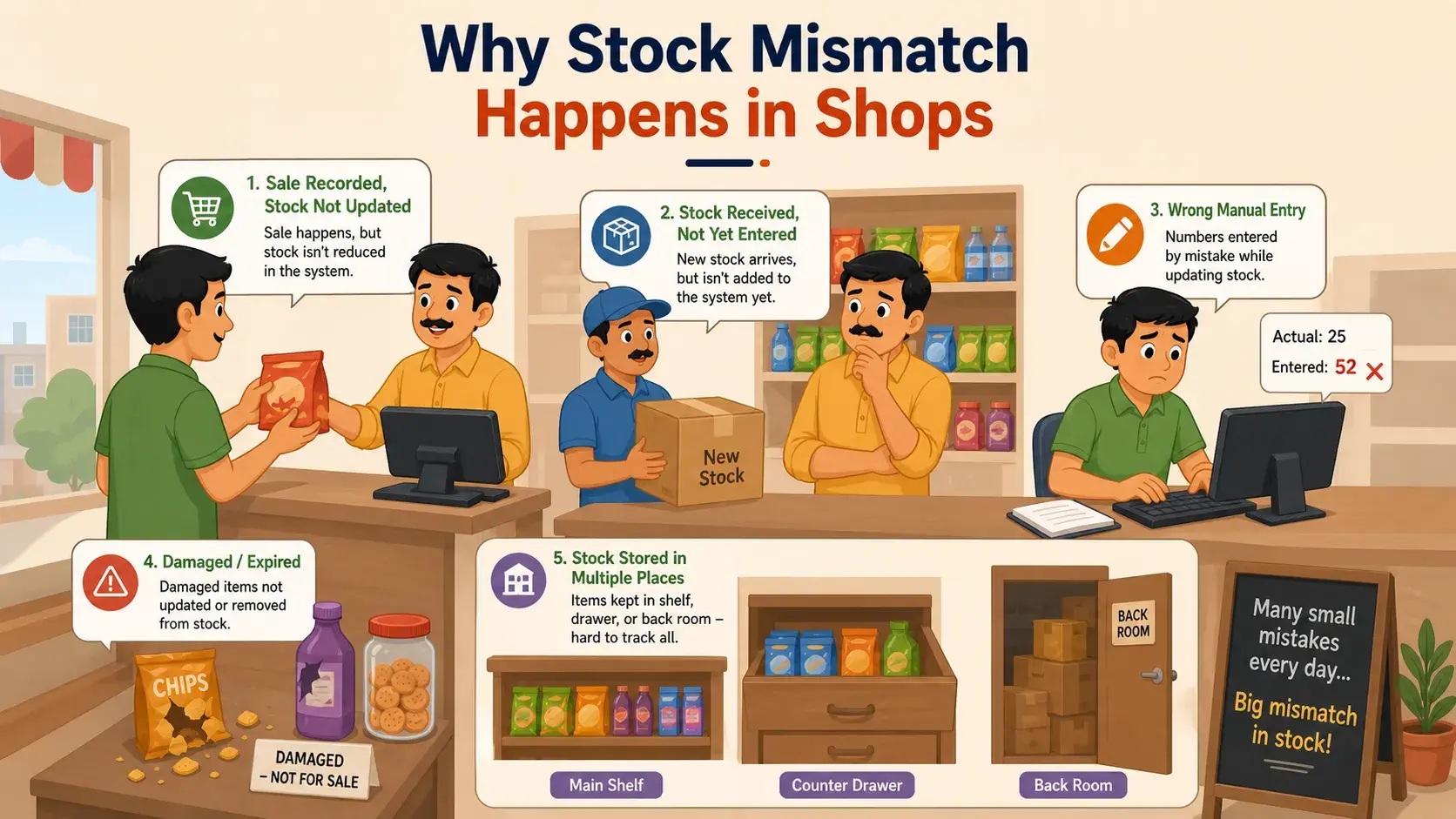
Another common reason is damaged, expired, or returned products. For example, if 3 cold drink bottles break and you throw them away, but you do not remove them from the stock record, your system will still show those 3 bottles as available. The same thing happens when products are returned by customers or sent back to suppliers but not updated properly.
Stock mismatch also happens when products are kept in different places. Some items are on the front shelf, some are inside drawers, some are in the back room, and some are still inside boxes. Because of this, you may think a product is not available, but actually it is kept somewhere else. If more than one person handles sales and stock, the chances of confusion become even higher.
For shops that handle many products daily, using small business inventory software or inventory management software small business owners can manage easily is helpful. It keeps product records cleaner and reduces confusion compared to fully manual tracking.
Why Stock Mismatch Is a Big Problem
Stock mismatch is not just a counting issue. It can directly hurt your business. When your record is wrong, you may give wrong information to customers. A customer may ask, "Is this product available?" You check your system and say yes, but when you search the shelf, the product is not there. This creates a bad experience, and the customer may go to another shop.

It can also make you lose sales. Sometimes the product is actually available, but your system says it is out of stock. Because of this, you may not sell it or may order it again unnecessarily. In both cases, your money and time get wasted. If you order extra products again and again, your money gets blocked in stock that may not sell quickly.
Fast-selling items can also go out of stock without you knowing. If customers regularly come for a product and you keep saying, "Stock khatam ho gaya," they may stop coming back. Wrong stock records also affect your profit calculation. You may think you are making profit, but actually some products may be missing, damaged, expired, or not counted properly.
This is why many shop owners now prefer billing and inventory software instead of only using paper records. It helps them create bills, track sales, manage stock, and understand what is really happening in the shop.
Simple Example of Stock Mismatch
Let's understand this with a simple grocery shop example. In the morning, you have 50 tea packets. During the day, you sell 20 packets. Later, your supplier brings 10 new packets. But 2 packets get damaged.
So, the correct stock should be:
50 − 20 + 10 − 2 = 38 packets
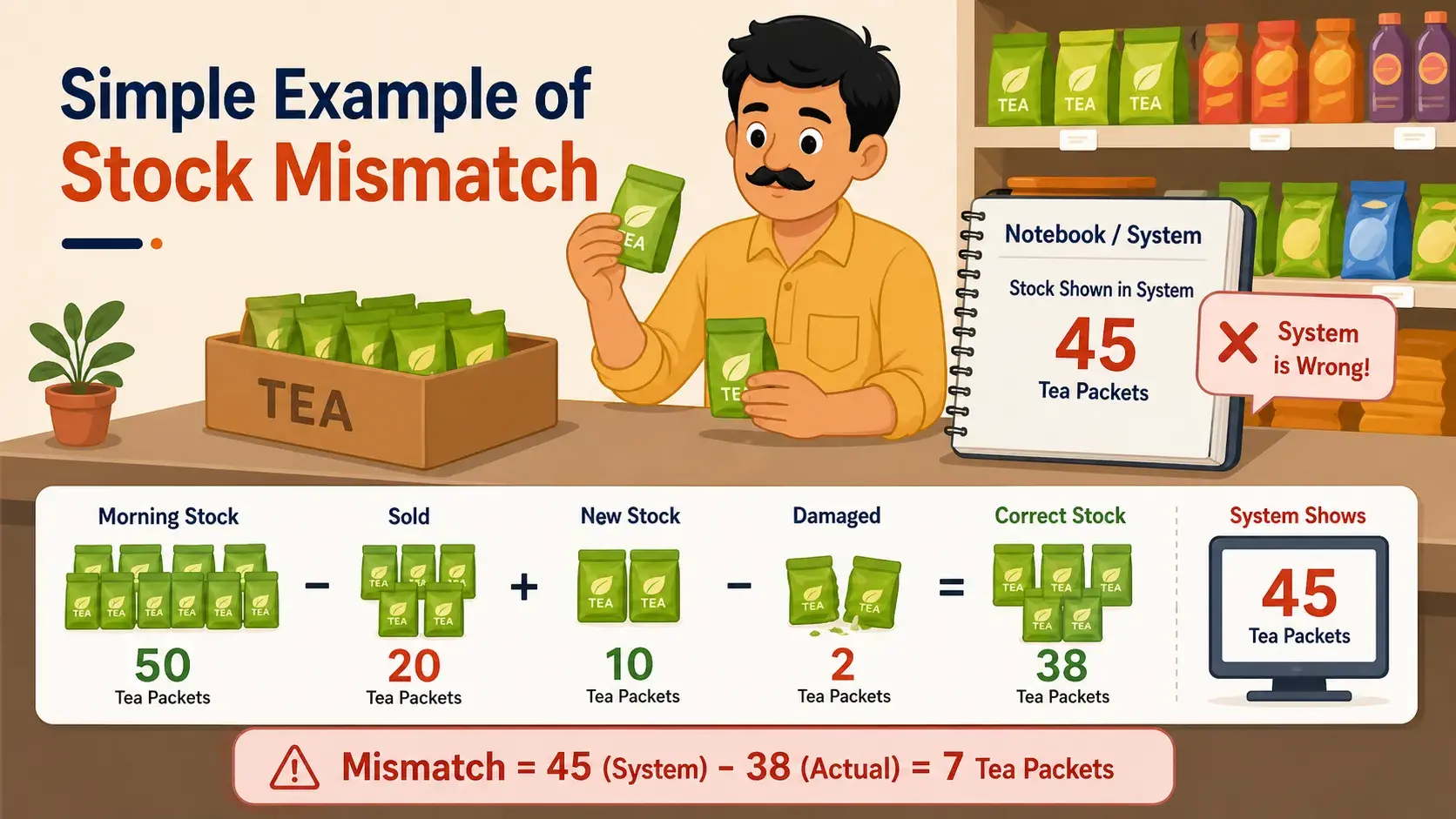
At night, your shop should have 38 tea packets. But when you check your notebook, hisab diary, bill book, or system, it shows 45 packets. This means your stock record is wrong. Now you need to check what happened. Maybe someone forgot to update the sale. Maybe the damaged packets were not removed. Maybe supplier stock was added twice. Or maybe the counting was wrong.
This is why proper stock management is important. If you check regularly, you can find mistakes early. If you ignore it for many days, the mismatch becomes bigger and harder to fix. A simple inventory software can make this easier because every sale and stock change can be tracked in one place.
How to Fix Stock Mismatch in Your Shop
The solution to stock mismatch does not have to be complicated. You do not need a big system from day one. You only need a clear and simple process that everyone in the shop follows.
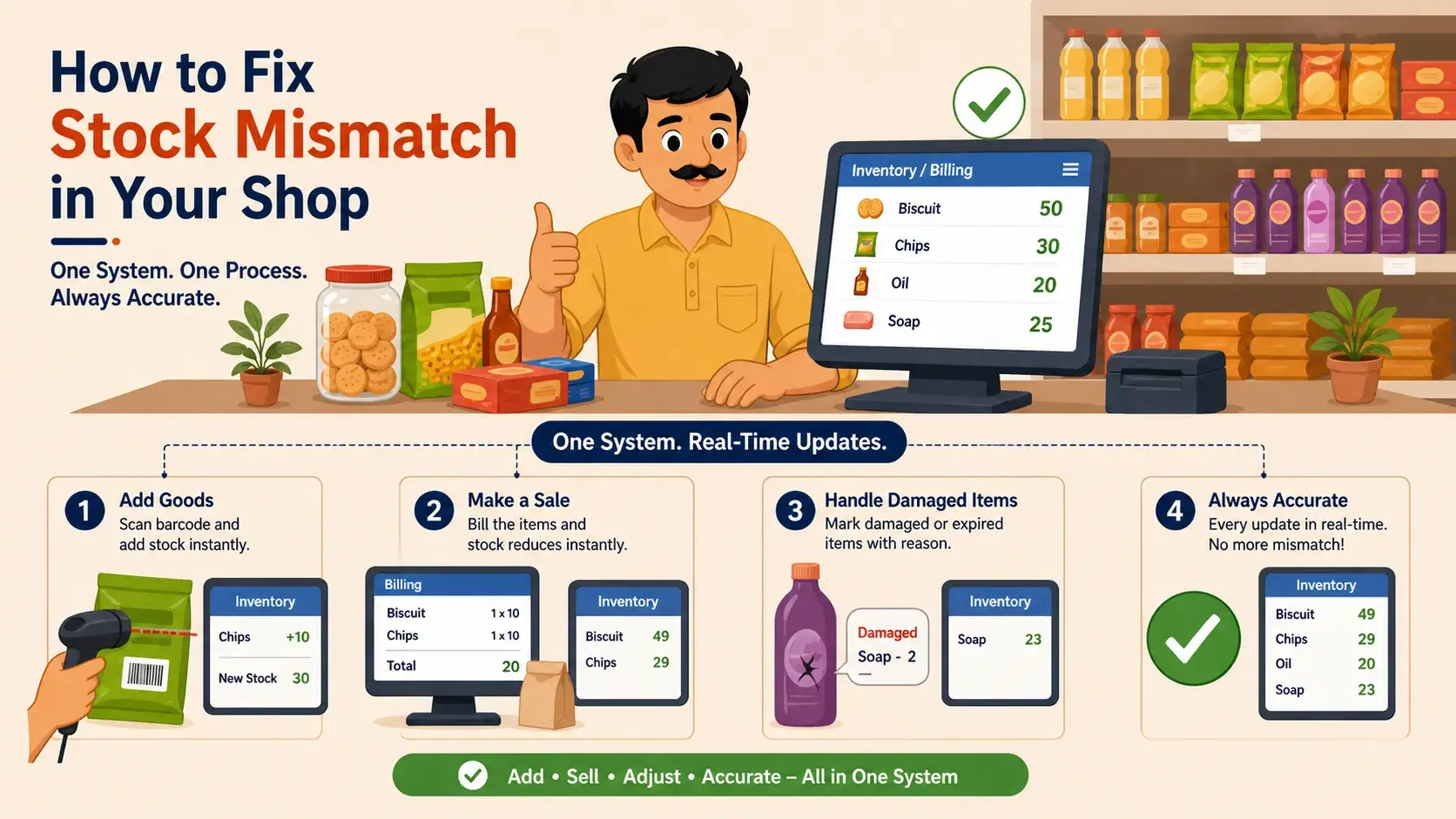
The first rule is to update stock immediately. When a product is sold, reduce it from the record. When new stock comes, add it to the record. When a product is damaged, expired, or returned, update that also. Do not keep these updates for later because "later" often becomes "forgotten." A simple rule is: whenever stock moves, the stock record should also change.
If your shop has many products, barcode scanning can help. Instead of typing product names and quantities manually, you can scan the product. This reduces typing mistakes and saves time. Barcode systems are useful for grocery shops, medical stores, clothing stores, electronics shops, mobile accessory shops, supermarkets, and wholesale shops. For bigger retail stores, supermarket billing software can be useful because it handles billing, barcode scanning, taxes, and stock updates together.
You should also keep one main stock system. Do not let one person write in a notebook, another update Excel, and another use a mobile app. This creates confusion. Choose one main system, whether it is a POS system, small business invoice software, inventory app, Excel sheet, or stock register. The important thing is that everyone should follow the same system.
Check Important Products Regularly
You do not need to count every single product daily. That can become tiring. Instead, start with your important products. These are products that sell fast, cost more money, go missing easily, or are always in demand. For example, a medical store should check important medicines daily. A mobile shop should check expensive accessories and devices. A grocery shop should check fast-selling items like rice, sugar, oil, tea, and snacks.
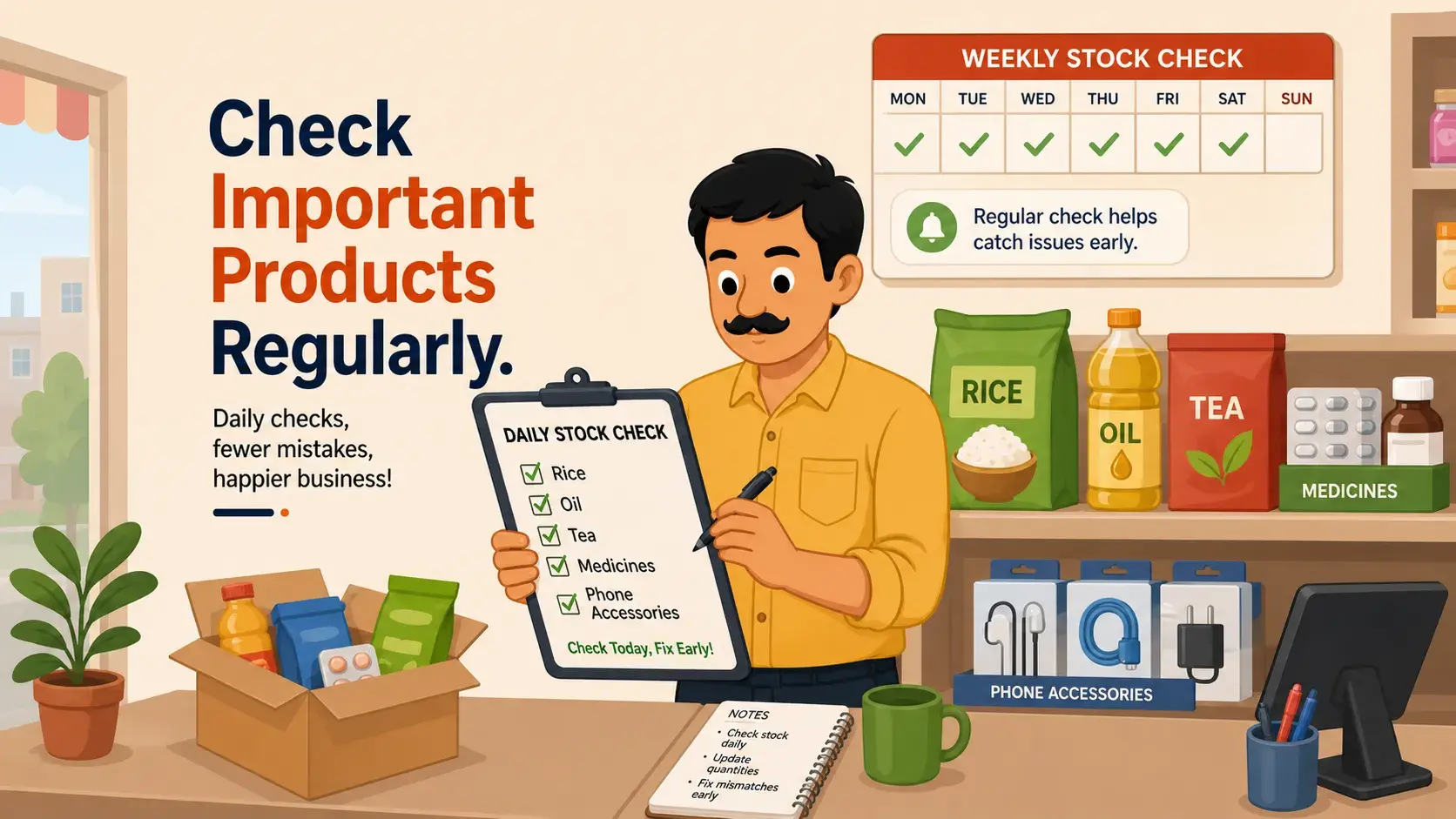
A daily check of important items helps you catch problems early. If a mismatch happens, you can find the reason quickly because the mistake is fresh. But if you check after one month, it becomes very difficult to understand where the mistake started.
Along with daily checks, do a full stock check once a week. Pick a fixed day and time, like every Sunday morning or every Monday before opening. Compare your physical stock with your system stock. If you find a mismatch, correct it and note the reason. This habit can save your shop from big confusion later.
If you sell both offline and online, stock checking becomes even more important. In that case, e commerce billing software can help you manage online orders, invoices, and available stock more clearly.
Create Simple Rules for Staff
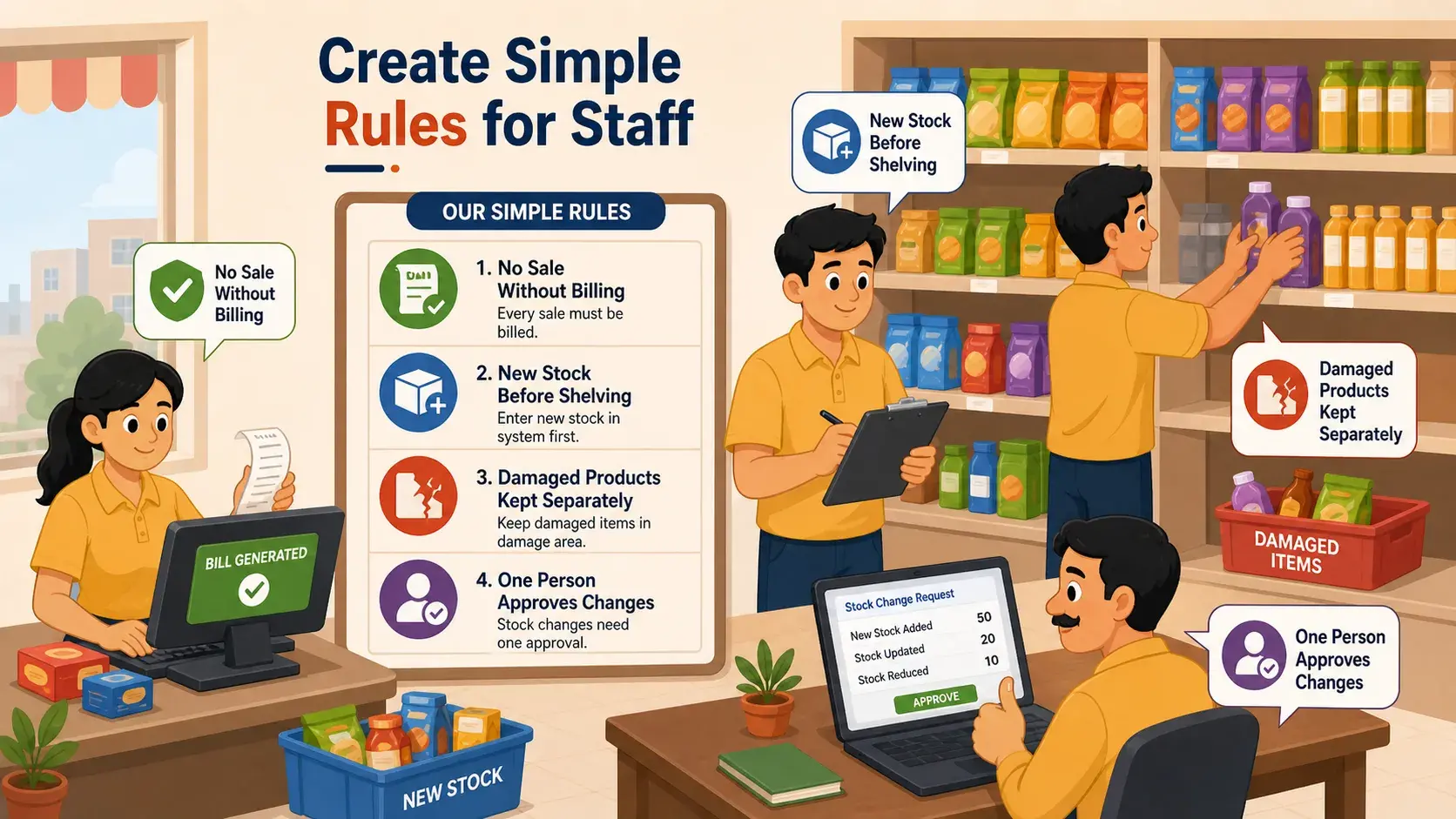
If your shop has staff, clear rules are very important. Everyone should know how stock should be handled.
- No product should be sold without billing or entry.
- New stock should not be kept on the shelf before it is added to the system.
- Damaged products should not be mixed with fresh products.
- Customer returns should be updated on the same day.
- If possible, only one trusted person should approve stock changes.
These rules may sound small, but they make a big difference. When everyone follows the same process, the chances of mistakes become lower. Staff members also feel clear about what to do, and the shop owner can track the stock more easily.
It is also helpful to keep damaged, expired, returned, or replacement products separately. Do not mix them with fresh stock. Keep one separate box, shelf, or area for such products. When you separate them properly, counting becomes easier and your stock record becomes cleaner.
A good system should also make dukan ka bill easy to create. When billing and stock are connected, every sale automatically reduces stock. This means fewer manual mistakes and less daily stress.
Use Low Stock Alerts
If you use inventory software, POS, or a mobile app, use low stock alerts. These alerts tell you when a product is about to finish. For example, if sugar packets go below 10, the system can alert you. If phone chargers go below 5, you can reorder before they are finished. If important medicine goes below 3 strips, you can arrange new stock on time.
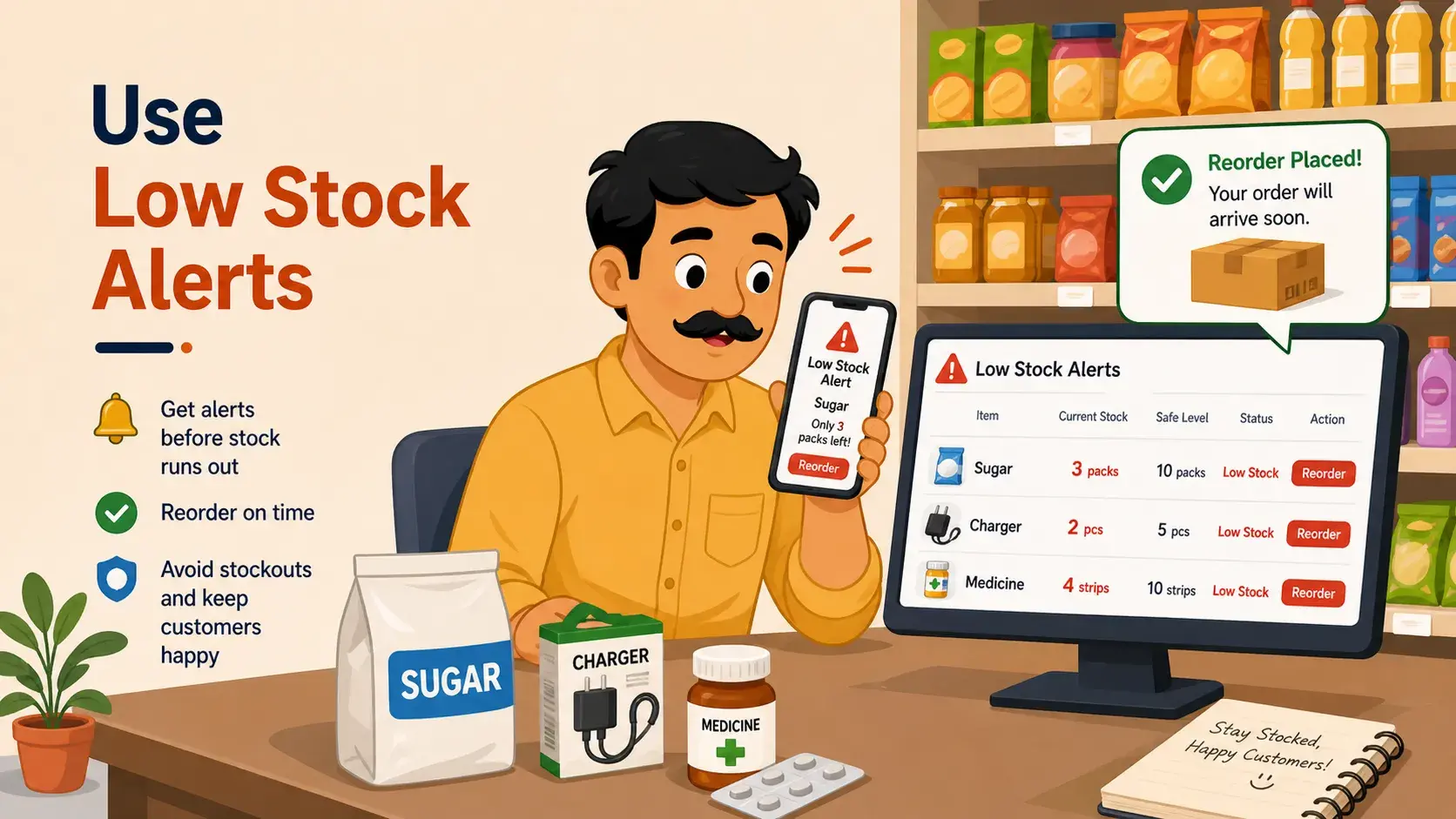
Low stock alerts help you avoid the common problem of saying, "Product khatam ho gaya." They also help you plan purchases better. You do not order too much, and you do not order too late. This keeps your money safe and your customers happy.
This is one reason many shop owners look for the best business management software for their daily work. The right software should help with billing, stock, customer records, reports, and simple business tracking without making things difficult.
Best Simple Stock Process for Small Shops
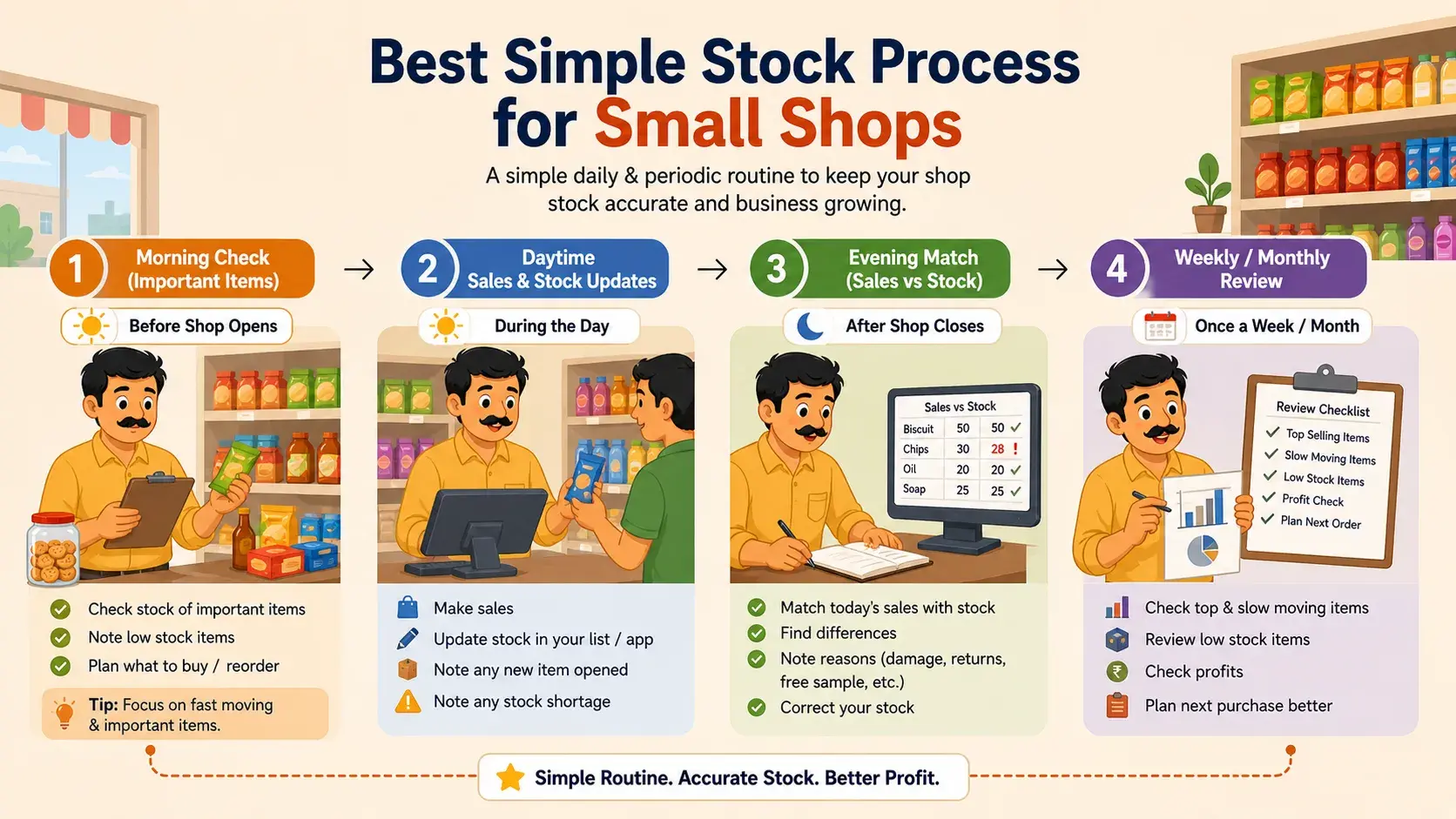
A small shop can follow a very simple stock process:
- In the morning, check important products before the shop gets busy.
- During the day, update every sale, new purchase, return, and damage.
- In the evening, match the main product stock with the sales record.
- Once a week, do a deeper stock count.
- Once a month, check slow-moving products, expired items, damaged products, and missing products.
This process is simple, but it works well if followed regularly. The goal is not to make your work harder. The goal is to stop small mistakes before they become big problems.
Whether you use a notebook, bill book, simply software, or a full billing system, the process should be easy for your team to follow. The simpler the system is, the better the chance that everyone will use it properly.
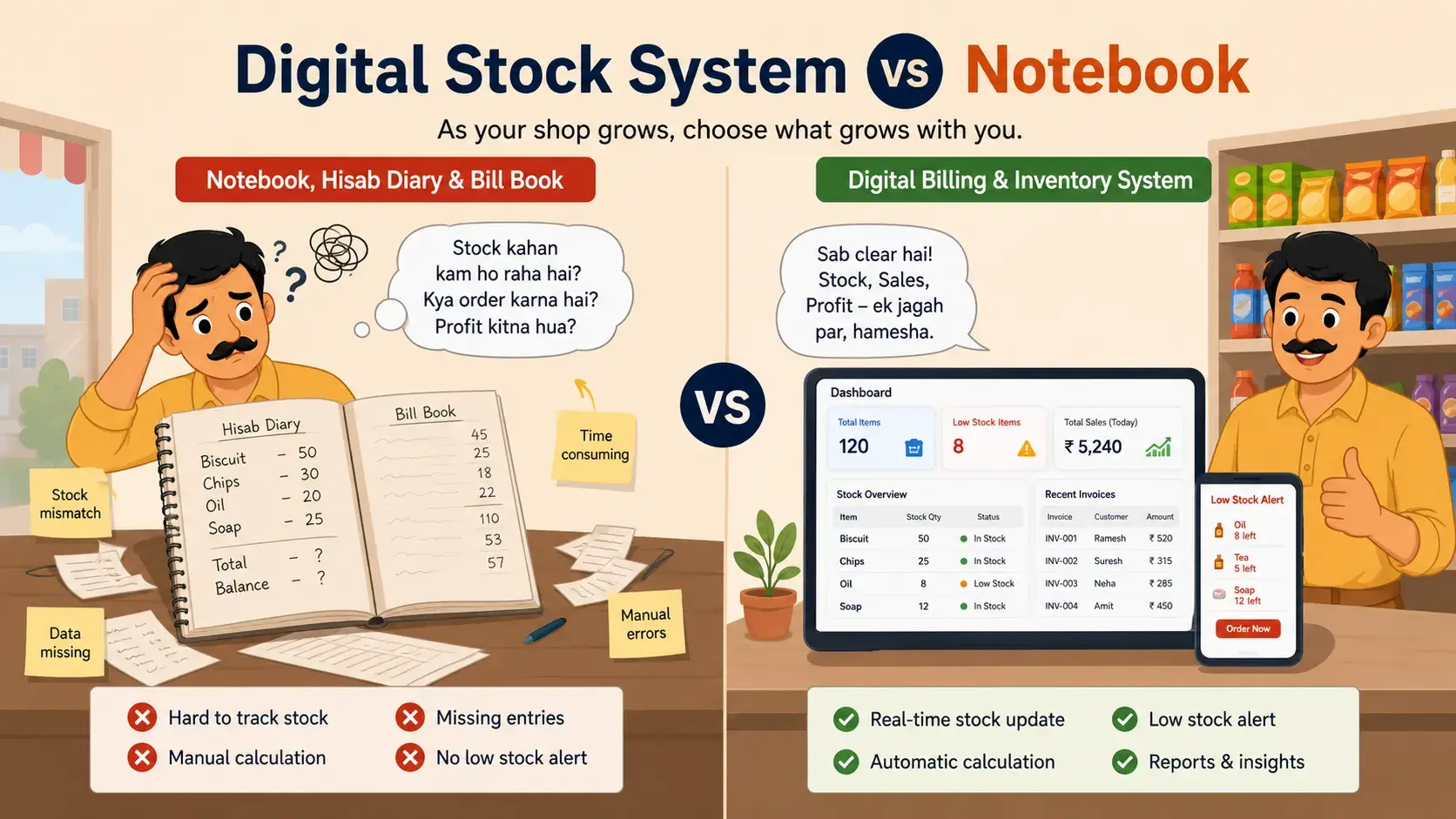
Digital Stock System vs Notebook
A notebook can work for a very small shop, especially when there are fewer products. But as the shop grows, a notebook becomes harder to manage. You may forget entries, write wrong numbers, lose pages, or find it difficult to track fast-moving items.
What a Digital Stock System Can Do
A digital stock system can make things easier because it can track sales, reduce manual mistakes, show low stock alerts, create reports, help with billing, and show which products are selling fast.
Billing and Stock Together
A good billing software for small business can also help you create invoices quickly, while inventory software keeps your stock updated. When both billing and stock work together, the chances of mismatch become much lower.
But even with a digital system, one thing is important: the system will only be useful if you update it properly. If you forget to update stock, even the best software will show wrong numbers.
Final Thoughts
Stock mismatch is a common problem in many shops. It happens when your physical stock and your record do not match. But the solution is not difficult. You need a simple system, regular checking, clear staff rules, and quick updates.
Every product that comes in should be added. Every product that goes out should be removed. Every damaged, expired, or returned product should be updated. When your stock is correct, your business becomes easier to manage. You know what to order, what is selling, what is missing, and where your money is going.
So next time you think, "Dukan ka stock match nahi ho raha," do not worry. Start with small steps. Check your important products, update your records daily, and slowly build a clean stock system. Whether you use a hisab diary, a bill book page, small business invoice software, or complete billing and inventory software, the main goal is the same: keep your stock clear and correct.
Download KhaataPro today and manage your stock the smart way!
Related Articles
Continue exploring our insights on billing and business management
Complete Guide to Billing Software for Small Businesses & Retail Shops
Managing finances is a critical part of running any business. From generating invoices to tracking payments, the right billing software for small businesses can streamline operations and reduce human error.
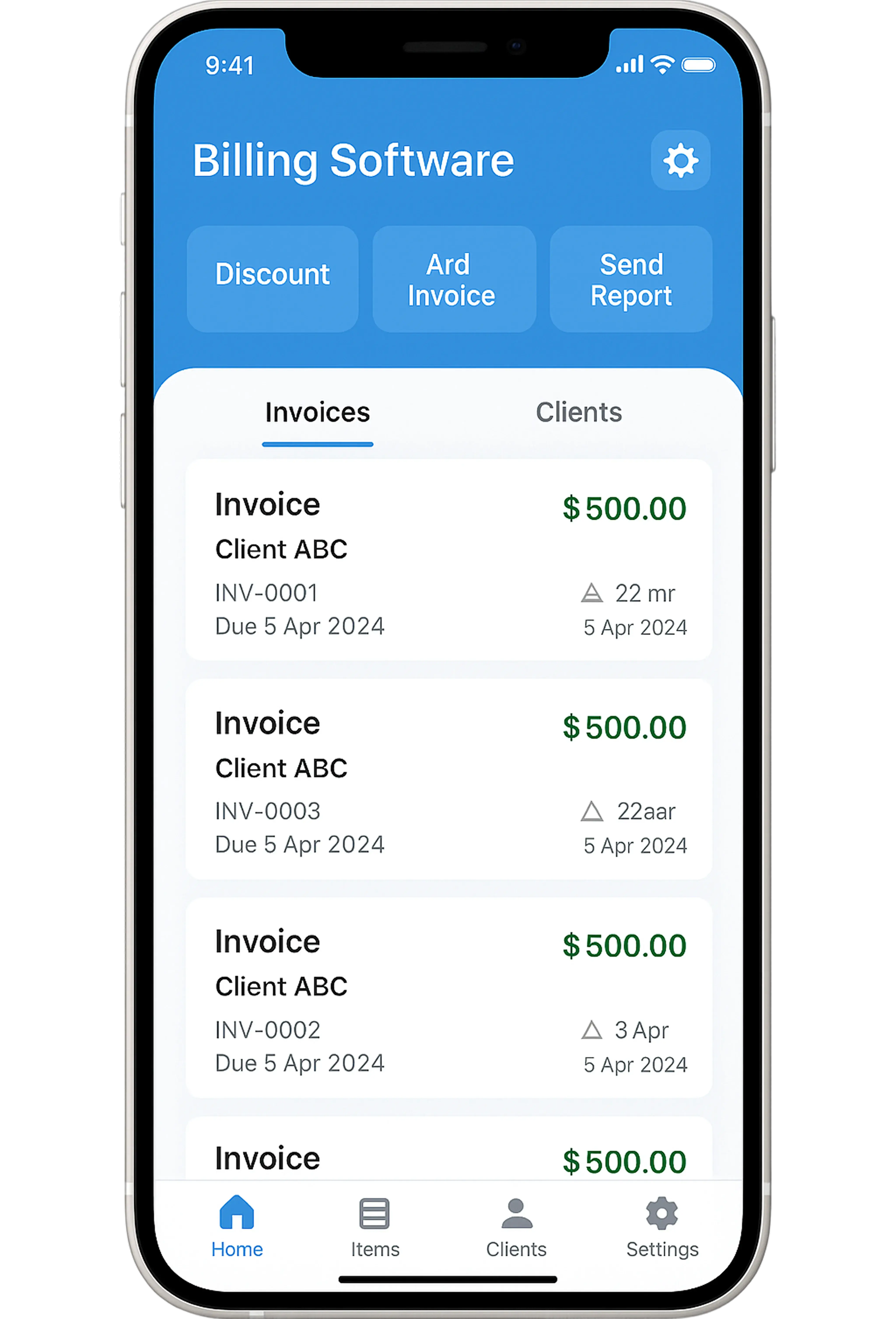
Why Your Business Needs Mobile Billing Software Today
In an increasingly mobile-first world, businesses that don't adapt to technology risk falling behind. Mobile billing software is essential for modern operations.

From Bahi-Khata to Digital Billing: A Comprehensive Guide to GST Migration for Indian MSMEs
For generations, the Bahi-Khata has been the backbone of Indian commerce—a trusted ledger where every rupee, every transaction, and every customer relationship was meticulously recorded by hand. But in today's GST-driven economy, this traditional system has become a strategic liability. Digital transformation is no longer optional; it is a business imperative for survival and growth.